Google

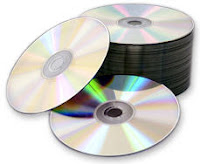
How to Clean your CD or DVD at home.

Everybody has DVD or CD collections at their home and keeping it neat and clean for long time is a real pain. Many times you are surprised to get this message ‘Cannot Read Disk’ from your laptop or DVD player or the movie you are playing skips or the picture freezes at certain points. Dust or small scratches can corrupt the integrity of data of your favorite CD or DVD. If you are unable to play CD or DVD, it may be because they are seriously damaged, or it could just be an indicator that immediate cleaning is required. One should know how to clean a CD or a DVD.

Before telling you some of the reliable methods to clean CD or DVD I will be throwing some light on how to keep them safe to increase their life.
  • Never ever expose discs to direct sunlight. It may seriously damage your disc.
  • Do not spill liquids on discs. Try to keep them out of reach from small kids.
  • Do not try to write on discs. This may lead to scratches resulting in damage.
  • Tape contains adhesive so never put tape on CD or DVD on discs.
  • Do not get dust on discs. Put them in DVD or CD case.
  • Always hold a disc by the edges or by one edge and the center hole. Do not touch the shiny surface of the disc. The body always contains some oil in it and when you will touch its shiny surface the finger print impressions may lead to its damage in longer run

Methods to clean CD or DVD

First find out if the disc is reparable or not. If there are light scratches on the disk, hold it up to a light. If light comes through scratches or holes, then the foil layer of the disc is badly damaged and the disc is irreparable. If no light comes, you can reduce the impact of scratches by using following methods:

  • Take a clean soft cloth. Make sure it is lint-free. Hold a disc by the edges or by one edge and the center hole without touching the shiny surface. Move the cloth radially outwards from the middle. Never move the cloth in circular motions.
  • Take rubbing alcohol and a lint free cloth. Put some rubbing alcohol on DVD or CD and rub gently with soft cloth.
  • Take mild soap solution and put 2-3 drops of it and wash the disc with warm water.
  • Avoid any heavy duty solvents when you clean a CD, as they can damage the disc.
  • Using Banana you can make your disc alive. Apply the fresh banana on disc, moving in a circular motion. Wipe it down with the Banana peel and then with soft lint free cloth. Spray the glass cleaner. And then wipe the disc with the cloth again.
  • Many times your kids take out DVD or CD while eating pastries or hamburgers. Sticky, greasy spots can also be cleaned easily. Take baby shampoo mixed in lukewarm water; gently rub the CD surface with this solution using a soft lint-free cloth.
  • Almost all the discs have finger prints impressions. It may not give any error like “Cannot Read Disc” but it may fail anytime without notice. Fingerprints are oil-based thus it may lead to serious damage, to avoid such surprises dip a soft cloth in isopropyl alcohol and gently wipe the surface. Never use a petroleum based solvent like acetone, it will permanently destroy the surface.

Important points to remember:

  • Allow the cleaned disc to dry completely before attempting to play it again or keeping them safely in DVD or CD case. Let it air dry for about a half hour.
  • Always keep the discs in CD or DVD case. If exposed to the environment they will get dirty.
  • Take a back up of the data as soon as you have repaired the disc as it is possible that it may fail permanently again.
  • Keep your disc neat and clean because then only the chances of introducing dust to the CD or DVD player is minimum.

Webroot Spy Sweeper v5.5.7.124

Webroot Spy Sweeper v5.5.7.124

Webroot Spy Sweeper v5.5.7.124

Webroot Spy Sweeper is award-winning anti-spyware software that effectively detects and safely removes spyware and adware from your PC. Spy Sweeper protects you from spyware’s negative consequences, which include a slower Internet connection, pop-up advertisement problems, reduced computer performance, or in the worst case, the loss of private information and identity theft. Spy Sweeper™ lets you protect your privacy and your computer from a variety of spyware programs, from those that monitor all of your computer’s activities (system monitors) to those that can steal or destroy data (Trojan horses). It also detects programs that pop up ads on your computer when the program is running (adware) and cookies that may contain and may transmit personal information (tracking cookies).

Features:

* Comprehensive Removal Technology. Using new patent-pending removal technology, Spy Sweeper effectively disables the most sophisticated and debilitating spyware programs, including threats that employ “rootkit” technology to evade detection and removal and continue wreaking havoc with your PC. This advanced and highly effective technology saves you time and effort by removing even the most vicious spyware threats in one sweep.

* Advanced Detection Techniques. Spy Sweeper uses FlexDef technology to identify and defeat emerging spyware threats without having a direct match to an existing spyware definition or signature. Using this technology, Spy Sweeper is able to dynamically defend against threats as they emerge.

* Enhanced Blocking with Smart Shield Protection. Spy Sweeper uses 16 advanced Smart Shields, including ActiveX, Toolbar, and Spy Communications shields that block new spyware installations so you can have the peace of mind you deserve knowing you’ve got proactive, always-on protection.

* Deepest Detection. Using state-of-the-art spyware research methods that identify new spyware threats before they are widely distributed, Spy Sweeper ensures you have the most powerful and up-to-date protection against new emerging spyware threats.

* Unrivaled Removal. Spy Sweeper’s Comprehensive Removal Technology (CRT) is the backbone behind the most advanced spyware removal engine in the industry. CRT deletes the toughest spyware programs in just one sweep - even removing mutated or “rootkit” spies, some of the nastiest next-generation spyware threats.

* Accurate Risk Assessment. Detected spyware programs are rated by risk level to help you understand the danger that each spyware threat poses to your security. Plus, Spy Sweeper gives you a quick overview of each threat, what it does, and its potential danger.

* Continuous Security Updates. Spyware programs morph frequently. Spy Sweeper keeps you protected against these threats with frequent and automated updates to its definition database.

* Protection Made Easy. Spy Sweeper continues to earn wide-spread acclaim for its user-friendly interface and usability. With an easy-to-use console and customizable options, Spy Sweeper makes defeating spyware a breeze.

* Up-to-date News & Information. Webroot regularly provides essential information about spyware - right within your Spy Sweeper application. You can stay informed about the latest online threats.

Download Webroot Spy Sweeper v5.5.7.124

DVD Audio Extractor 4.3.0

DVD Audio Extractor 4.3.0

DVD Audio Extractor 4.3.0

DVD Audio Extractor is a powerful software DVD audio extracting / ripping tool.

It can help you to extract audio streams from your favorite DVDs and save them as OGG, MP3, Wave or FLAC files. DVD Audio Extractor can also demux audio streams directly to pcm, mpa, ac3 or dts files. The newly added CD Image creating feature allows you to convert DVD to Audio CD in one step.

Product features:

DVD Audio Extractor features on its easy-to-use interface, ultra-fast extracting speed, rich audio formats support, multi-channel capability, resample to arbitrary sample rate, audio preview and much more. It’s all what you needed to get audios out of DVD-Video discs, so that you can listen on MP3 Player, play on PC, record to CD or do anything else.

* DVD Audio Extractor is designed in sense of easy use. The program comes with a step by step wizard-like interface and all the functions can be used by simple mouse clicks.

* With its fully optimized processing engine, DVD Audio Extractor can convert selected audio tracks within 10% of the playback time. (Note: processing time differs for different audio format settings)

* DVD Audio Extractor can decode all the audio formats available on DVD-Video: Dolby Digital (AC-3), MPEG1/2, Linear PCM (any 16, 20 or 24 bit, 48000 or 96000 Hz sample rate, 1 to 8 channels), and DTS (Digital Theater Systems).

* DVD Audio Extractor is able to encode to several formats: OGG (Mono, Stereo or 5.1 Surround), MP3 (Mono, Stereo or Joint Stereo) and Uncompressed PCM Wave (unlimited channel, 8 bits, 16 bits or 24 bits, with an option to save each channel to separate file).

* The newly added CD Image creating feature allows you to convert DVD to Audio CD in one step.

* The newly added audio play/preview feature allows you to listen to the selected chapters, so that you can be sure those chapters are really what you wanted to extract. You can also use DVD Audio Extractor as a standalone Audio Player for DVD-Video discs.

Download DVD Audio Extractor 4.3.0

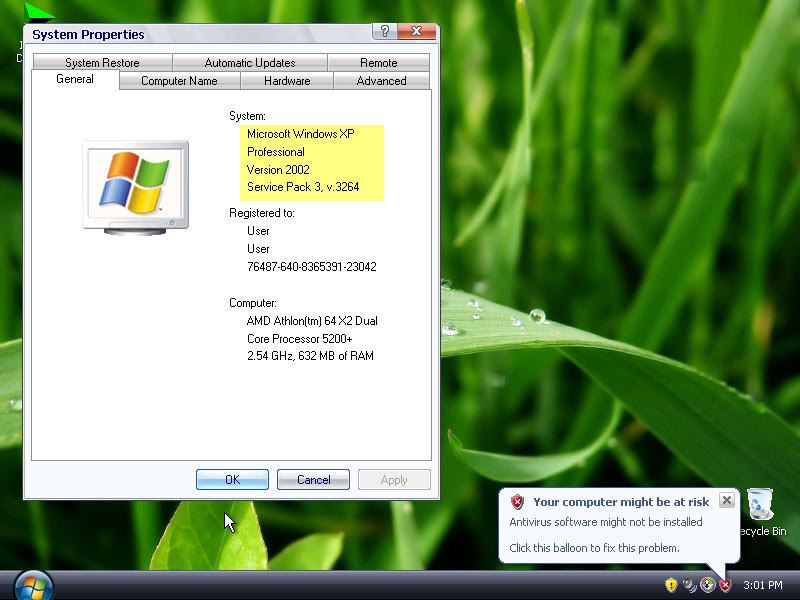
Windows Xp Pro SP3 Black Edition

Windows Xp Pro SP3 Black Edition


This version of Windows XP is designed for your convenience.

It requires less memory from your system and it doesn’t need a serial number as this is the unattended version.

It includes the following programs:

* Acrobat 8.0

* WindowBlind 5.04 Enhanced plus many new themes

* TuneUp Utilities 2007 English

* Microsoft Java VM Build 3809

* Sun Java 2 Version5.0.6 W/SP2

* IE 7 Final Activated

* Firefox 2

* Thunderbird 1.5.0.9

* Klite Codec Pack 2.80

* Window Media Player 11

* ZoneAlarm 6.5.737.2006 Pro

* Blindwrite 6.0.1.19 By eXperience

* Nero 7.59 Lite

* PowerIso

* Ultra Iso 8.6.0.1936

* Fraunhofer IIs MP3 Code

* Quicktime Alternative

* Acrobat Reader

* WinRAR

* Windows Vista RTM sidebar plus extra gadgets


History of updates and fixes;

- Added Segoe Print and Segoe ****** Fonts (Fixes Notes Gadget)

- Added more cool Gadgets (Black Jack, Tetris, Bricks, Pong, Command Launcher, Internet Search)

- Fixed Version Number in Add-Remove Programs (from 5477 to 5744)

- Minor RegDLL Changes

- Now uses ProfileItems for QuickLaunch Shortcut

- Improved Installation process (No more RunOnceEx Box)

- Fixed VAIO Shell Extension not registering

- Added Vista Calculator and Drive Info Gadgets

- Changed skin to Glass

- Quick Launch shortcut moved to UserProfile

- Systray Icon issue FIXED! (Had to go from RTM 6.0.6000 down to RC2 6.0.5744, I will go back to RTM when the new VAIO Build is released)

- Added Calibri fonts (Fixes CPU Meeter)

- Changed the Sidebar Skin to a much nicer one as you can see in the screenshot (Fade Skin)

- Changed Shortcut placement from All Programs to All Programs -> Accesories

Windows Xp Pro SP3 Black Edition:

http://rapidshare.com/files/92340912/h.m.part1.rar

http://rapidshare.com/files/92341662/h.m.part2.rar

http://rapidshare.com/files/92365142/h.m.part3.rar

http://rapidshare.com/files/92367338/h.m.part4.rar

http://rapidshare.com/files/92389184/h.m.part5.rar

http://rapidshare.com/files/92392290/h.m.part6.rar

http://rapidshare.com/files/92398538/h.m.part7.rar