Google
Showing posts with label Audio Video. Show all posts

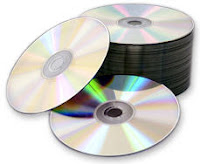
How to Clean your CD or DVD at home.

Everybody has DVD or CD collections at their home and keeping it neat and clean for long time is a real pain. Many times you are surprised to get this message ‘Cannot Read Disk’ from your laptop or DVD player or the movie you are playing skips or the picture freezes at certain points. Dust or small scratches can corrupt the integrity of data of your favorite CD or DVD. If you are unable to play CD or DVD, it may be because they are seriously damaged, or it could just be an indicator that immediate cleaning is required. One should know how to clean a CD or a DVD.

Before telling you some of the reliable methods to clean CD or DVD I will be throwing some light on how to keep them safe to increase their life.
  • Never ever expose discs to direct sunlight. It may seriously damage your disc.
  • Do not spill liquids on discs. Try to keep them out of reach from small kids.
  • Do not try to write on discs. This may lead to scratches resulting in damage.
  • Tape contains adhesive so never put tape on CD or DVD on discs.
  • Do not get dust on discs. Put them in DVD or CD case.
  • Always hold a disc by the edges or by one edge and the center hole. Do not touch the shiny surface of the disc. The body always contains some oil in it and when you will touch its shiny surface the finger print impressions may lead to its damage in longer run

Methods to clean CD or DVD

First find out if the disc is reparable or not. If there are light scratches on the disk, hold it up to a light. If light comes through scratches or holes, then the foil layer of the disc is badly damaged and the disc is irreparable. If no light comes, you can reduce the impact of scratches by using following methods:

  • Take a clean soft cloth. Make sure it is lint-free. Hold a disc by the edges or by one edge and the center hole without touching the shiny surface. Move the cloth radially outwards from the middle. Never move the cloth in circular motions.
  • Take rubbing alcohol and a lint free cloth. Put some rubbing alcohol on DVD or CD and rub gently with soft cloth.
  • Take mild soap solution and put 2-3 drops of it and wash the disc with warm water.
  • Avoid any heavy duty solvents when you clean a CD, as they can damage the disc.
  • Using Banana you can make your disc alive. Apply the fresh banana on disc, moving in a circular motion. Wipe it down with the Banana peel and then with soft lint free cloth. Spray the glass cleaner. And then wipe the disc with the cloth again.
  • Many times your kids take out DVD or CD while eating pastries or hamburgers. Sticky, greasy spots can also be cleaned easily. Take baby shampoo mixed in lukewarm water; gently rub the CD surface with this solution using a soft lint-free cloth.
  • Almost all the discs have finger prints impressions. It may not give any error like “Cannot Read Disc” but it may fail anytime without notice. Fingerprints are oil-based thus it may lead to serious damage, to avoid such surprises dip a soft cloth in isopropyl alcohol and gently wipe the surface. Never use a petroleum based solvent like acetone, it will permanently destroy the surface.

Important points to remember:

  • Allow the cleaned disc to dry completely before attempting to play it again or keeping them safely in DVD or CD case. Let it air dry for about a half hour.
  • Always keep the discs in CD or DVD case. If exposed to the environment they will get dirty.
  • Take a back up of the data as soon as you have repaired the disc as it is possible that it may fail permanently again.
  • Keep your disc neat and clean because then only the chances of introducing dust to the CD or DVD player is minimum.

DVD Audio Extractor 4.3.0

DVD Audio Extractor 4.3.0

DVD Audio Extractor 4.3.0

DVD Audio Extractor is a powerful software DVD audio extracting / ripping tool.

It can help you to extract audio streams from your favorite DVDs and save them as OGG, MP3, Wave or FLAC files. DVD Audio Extractor can also demux audio streams directly to pcm, mpa, ac3 or dts files. The newly added CD Image creating feature allows you to convert DVD to Audio CD in one step.

Product features:

DVD Audio Extractor features on its easy-to-use interface, ultra-fast extracting speed, rich audio formats support, multi-channel capability, resample to arbitrary sample rate, audio preview and much more. It’s all what you needed to get audios out of DVD-Video discs, so that you can listen on MP3 Player, play on PC, record to CD or do anything else.

* DVD Audio Extractor is designed in sense of easy use. The program comes with a step by step wizard-like interface and all the functions can be used by simple mouse clicks.

* With its fully optimized processing engine, DVD Audio Extractor can convert selected audio tracks within 10% of the playback time. (Note: processing time differs for different audio format settings)

* DVD Audio Extractor can decode all the audio formats available on DVD-Video: Dolby Digital (AC-3), MPEG1/2, Linear PCM (any 16, 20 or 24 bit, 48000 or 96000 Hz sample rate, 1 to 8 channels), and DTS (Digital Theater Systems).

* DVD Audio Extractor is able to encode to several formats: OGG (Mono, Stereo or 5.1 Surround), MP3 (Mono, Stereo or Joint Stereo) and Uncompressed PCM Wave (unlimited channel, 8 bits, 16 bits or 24 bits, with an option to save each channel to separate file).

* The newly added CD Image creating feature allows you to convert DVD to Audio CD in one step.

* The newly added audio play/preview feature allows you to listen to the selected chapters, so that you can be sure those chapters are really what you wanted to extract. You can also use DVD Audio Extractor as a standalone Audio Player for DVD-Video discs.

Download DVD Audio Extractor 4.3.0

CloneDVD Mobile v1.1.61


CloneDVD mobile converts your DVD movies quickly and easily into a format that your portable device (Sony PSP, Apple iPod Video, iAudio X5, Creative Labs ZEN Vision, etc) can play. You can also convert your DVDs to other file formats, such as DivX, XviD, AVI, MP4, etc.

Watch your movies on the go
With CloneDVD mobile you can put your favourite movies or TV series on your mobile video equipment and watch them wherever and whenever you want. Let the kids watch their favourite cartoons in the car.

Incorporating the user-friendly interface of Elby's CloneDVD and the well-engineered open source project MEncoder as the conversion engine makes CloneDVD mobile a fast, easy-to-use and quality product that is very reasonably priced.

Copying a DVD to your mobile video machine is achieved in a few mouse clicks and without the need to rip it to your hard-disk. Note that copying protected DVDs also requires AnyDVD.

Features
Convert movie DVDs to play on mobile video equipment like the Sony PSP, Apple iPod Video, iAudio X5, Creative Labs ZEN Vision, etc
Convert movie DVDs to other file formats like DivX, XviD, AVI, MP4, etc.
Utilises a high quality picture conversion engine
Supports multi-angle movie DVDs
Video Preview shows an overview of all selectable DVD titles
Target size freely adjustable
Supports chapter trimming
Very easy to use: Our unique Filmstrip assistant will guide you step-by-step through all settings - easy for beginners
Picture snapshots while converting
Logging window available
Stable, fast and does not require an ASPI drive

download

FIX
download

TubeDownload 1.1.4

YouTube Download

TubeDownload is a free tool to download videos from YouTube. Just "copy and paste" or "drag and drop" the URL of a video from YouTube into the program, press Download, and the video will be downloaded to the folder you selected. TubeDownload supports Internet Explorer extension! You can download favorite videos with just One Click!


Visit Website

Software Developer Homepage
Download

From Software Author.

BienneSoft YouTube Downloader 2.1.6

BienneSoft YouTube Downloader


BienneSoft YouTube Downloader is software that allows you to download videos from YouTube and many others and convert them to other video formats.

The program is easy to use, just specify the URL for the video you want to download and click the Ok button. It also allows you to convert downloaded videos for Ipod, Iphone, PSP, Cell Phone, Windows Media, XVid and MP3.

Visit Website
Software Developer Homepage

Download

MakeitOne MP3 Album Maker - MP3 Joiner


MakeitOne MP3 Album Maker allows you to pack or join your MP3 files in a single file - whilst still allowing full playability (in any mp3 player), tag editing and unpacking. It supports SendTo and Drag n Drop.

Even tough just 169 KB, this freeware gives you simplicity and excellent features.

Fake Webcam 4.0.5 | 3.1 MB

Stream/play videos and movies on Yahoo, MSN, AOL, Paltalk, ICQ, Camfrog, and on all messengers instead of actual Web cam. It streams videos and movies on your messenger just like Web cam. You don't need to have a Web cam for Webcamming.Version 4 adds support for RM, MOV and 3gp.

Myspace Video Downloader 3.11

Download and save Myspace videos ( myspace.com ) to your PC, Ipod, Iphone, PSP, Mobile Phone with one-click.

Save the downloaded video into various formats: .avi, .mpeg, .flv, .wmv. Simply paste the URL of a video into the program, press Add, and the file will be downloaded into the selected folder. Just run Myspace Video Downloader and start downloading.


Software Developer Homepage
From Software Author.

Free Video to Mp3 Converter 2.8.4.1

With Free Video to Mp3 Converter you can extract audio from video files (*.avi, *mpg, *.mpg, *.mp4, *.wmv, *.asf, *.mov, *.qt, *.3gp, *.3g2, *.swf and *.flv) and save it as MP3.

The video source file can be local or you can grab a video file directly from a YouTube URL.

MP3 output can be saved as:

* High Quality (MP3, 256kbps, 48000Hz, STEREO);
* Standart Quality (MP3, 128kbps, 44100Hz, STEREO);
* Economy Quality (MP3, 96kbps, 22050Hz, STEREO)

download Free Video to Mp3 Converter now

3GP Video Converter


Free 3GP Video Converter 2.4.4.1 Submitted by Sam Boja on 23 January, 2008 - 17:25. Video Converters

Free 3GP Video Converter. Convert 3GP video files created using your cell phone to more common PC video formats AVI or MP4. Extract audio from 3GP video files.
Convert *.3gp video files to *.avi, *.mp4, *mp3.
This free program contains no spyware or adware. It's clearly free and absolutely safe to install and run.
Software Developer Homepage

File Size = 6.89 MB
From Software Author.

Free Video Dub


Free Video Dub is the free video editing software that lets you delete unwanted parts from video files without re-encoding. It is the fastest way to edit AVI (DivX, Xvid, MPEG 4), MPEG 1 and 2 video.

And “without re-encoding” means without loosing original quality, this is a lossless conversion, which is very fast.

Supports many MPEG files: MPEG 1, MPEG 2 and even MPEG 4 AVI, MOV, MP4, M4V, MPG and FLV files including DivX and XviD.


Publisher : Visit Website

DOWNLOAD NOW (6.8 MB)

Youtube Batch Downloader 1.4

Youtube Batch Downloader is software to browse youtube.com, just like if you open youtube.com using IE or Firefox, but this Youtube Batch Downloader have button to download the movie, and the best part is, you can download more than one movie.If you have 10s or 100s of files you want to download from youtube. You absolutely should try this application.

Requires Microsoft .NET Framework 2.0.

Visit Website Software Developer Homepage

Download File Size = 2.79 MB

Download From Software Author.

Abc 3GP Converter


ABC 3GP Converter is software for 3GP/3GP2 file conversion of portable device. It can convert almost all video formats, for e.g., DivX, XviD, MOV, rm, rmvb, mkv, MPEG, VOB, DVD, WMV, AVI, AVS, ASF, H264, to 3GP format for playing on mobile phone or other portable video device. It integrated H263 codec which has super fast conversion speed with high quality. And it supports merge many video clip into one.

Features :
>Converts all formats to 3GP/3GP2 format that can be played on general portable video device such as mobile phone.
>Fast video conversion speed.
>User-friendly interface that is easy to use.
>Supports batch conversion/merge conversion mode.
>Converts any clip or segment of input file.
>Has the option to preview the video in real-time.
>Has the option to automatically shutdown your computer when the conversion has been completed.


Publisher : Visit Website


DOWNLOAD NOW (4.3 MB)